HEIC vs PNG: Which Format is Better?
Quick Answer
HEIC is 50% smaller than PNG but only works on Apple devices. PNG works everywhere and supports transparency. For sharing photos: convert to PNG. For iPhone storage: keep HEIC. For web: use WebP.
HEIC vs PNG: Key Differences
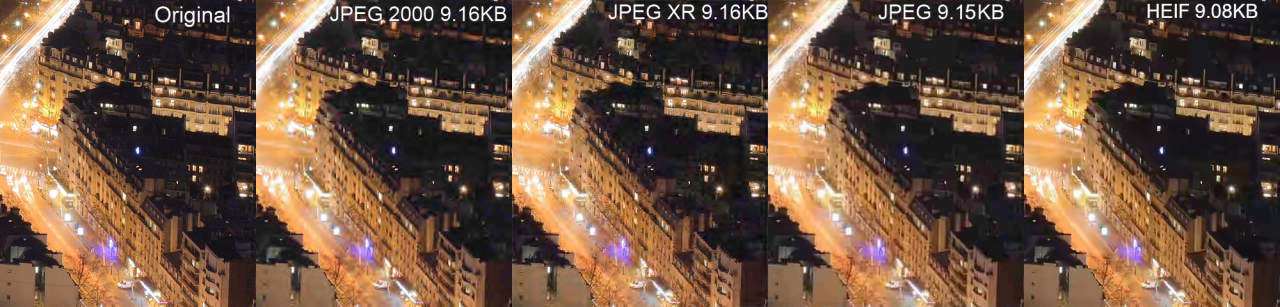
File size comparison: HEIC vs PNG and other formats
Choosing between HEIC and PNG can significantly impact your photos' file size, quality, and compatibility. This guide compares both formats to help you make the right choice. If you need to convert, see our step-by-step HEIC to PNG conversion guide.
Quick Comparison
| Feature | HEIC | PNG |
|---|---|---|
| File Size | 50% smaller | Larger files |
| Compression | Advanced lossy | Lossless |
| Quality | Excellent | Perfect (lossless) |
| Transparency | Yes | Yes |
| Compatibility | Limited | Universal |
| Animation | Yes | No (use APNG) |
| Color Depth | 16-bit | 8-bit or 16-bit |
| Web Support | Limited | All browsers |
HEIC: Pros and Cons
Pros
- 50% smaller file sizes
- Excellent image quality
- Supports 16-bit color
- Can store multiple images
- Preserves editing history
- Supports transparency
Cons
- Limited compatibility
- Not supported on older Windows
- Many websites reject it
- Email issues common
- Requires special software
PNG: Pros and Cons
Pros
- Universal compatibility
- Lossless quality
- Works everywhere
- Perfect for graphics
- Supports transparency
- No conversion needed
Cons
- Larger file sizes
- No animation support
- Takes more storage
- Slower uploads
- Not ideal for photos
When to Use Each Format
Use HEIC When:
- Storing photos on Apple devices
- You need to save storage space
- Sharing only with other Apple users
- Archiving photos for personal use
Use PNG When:
- Sharing photos with anyone
- Uploading to websites or social media
- Sending via email
- Working with graphics or logos
- You need lossless quality
- Editing in third-party software
File Size Comparison
Here's a real-world example of the same 12MP iPhone photo:
| Format | File Size | Relative Size |
|---|---|---|
| HEIC | 1.5 MB | Smallest |
| JPEG (90% quality) | 2.8 MB | Medium |
| PNG | 8.2 MB | Largest |
| WebP | 1.8 MB | Small |
Pro Tip: For the best balance of quality and file size when sharing photos online, consider converting HEIC to WebP using our free converter. It offers near-PNG quality with file sizes close to HEIC. Have many photos? Use our batch converter to process them all at once.
Convert HEIC to PNG Instantly
Need to convert your HEIC photos? Use HoneyConvert for free, instant conversion to PNG, JPEG, or WebP.
Convert Now - It's FreeFrequently Asked Questions
Which is better, HEIC or PNG?
Neither is universally better - it depends on your needs. HEIC offers smaller file sizes (about 50% smaller), while PNG provides universal compatibility. Choose HEIC for Apple devices and storage efficiency, PNG for sharing and web use.
Does converting HEIC to PNG lose quality?
No, converting HEIC to PNG does not lose quality. PNG is a lossless format, meaning it preserves all image data. The converted file may actually be larger because PNG doesn't use the same compression.
Should I convert HEIC to PNG or JPEG?
Convert to PNG if you need the highest quality and transparency support. Convert to JPEG if you need smaller file sizes and don't need transparency. For web use, WebP offers the best balance.
Can I convert PNG back to HEIC?
Yes, but there's no benefit. HEIC's advantage is in capturing photos at smaller sizes. Converting an already-decompressed PNG to HEIC won't recover the original file size savings.
What is the difference between HEIC and PNG?
The main difference is compression: HEIC uses lossy compression (discards some data to save space) while PNG uses lossless compression (keeps every pixel). This means HEIC files are ~50% smaller but PNG preserves perfect quality. HEIC also has limited compatibility (mainly Apple), while PNG works everywhere.
Is PNG or HEIC better quality?
PNG is technically better quality because it's lossless - no data is ever lost. However, HEIC's compression is so good that the quality difference is invisible to the human eye in most photos. For archival purposes or professional editing, PNG is preferred. For everyday photos, HEIC is fine.
Why is my HEIC file so much smaller than PNG?
HEIC uses advanced HEVC compression that intelligently removes image data humans can't perceive. PNG preserves every single pixel, even imperceptible details. A 12MP iPhone photo might be 1.5MB in HEIC but 8MB+ in PNG - that's over 5x larger for no visible quality improvement.
Should I keep photos as HEIC or convert to PNG?
Keep photos as HEIC if you mainly use Apple devices and want to save storage. Convert to PNG when sharing with Windows/Android users, uploading to websites, or when you need universal compatibility. You can always convert HEIC to PNG when needed.
Convert HEIC Files Now